Auth0
Learn how to configure IntelliAsk to use Auth0 for user authentication.
Step 1: Create a SAML Application in Auth0
- Log in to your Auth0 Dashboard.
- Navigate to
Applications > Applications. - Click
Create Application. - Enter an Application Name (e.g.,
IntelliAsk) and selectRegular Web Application. - Click
Create.
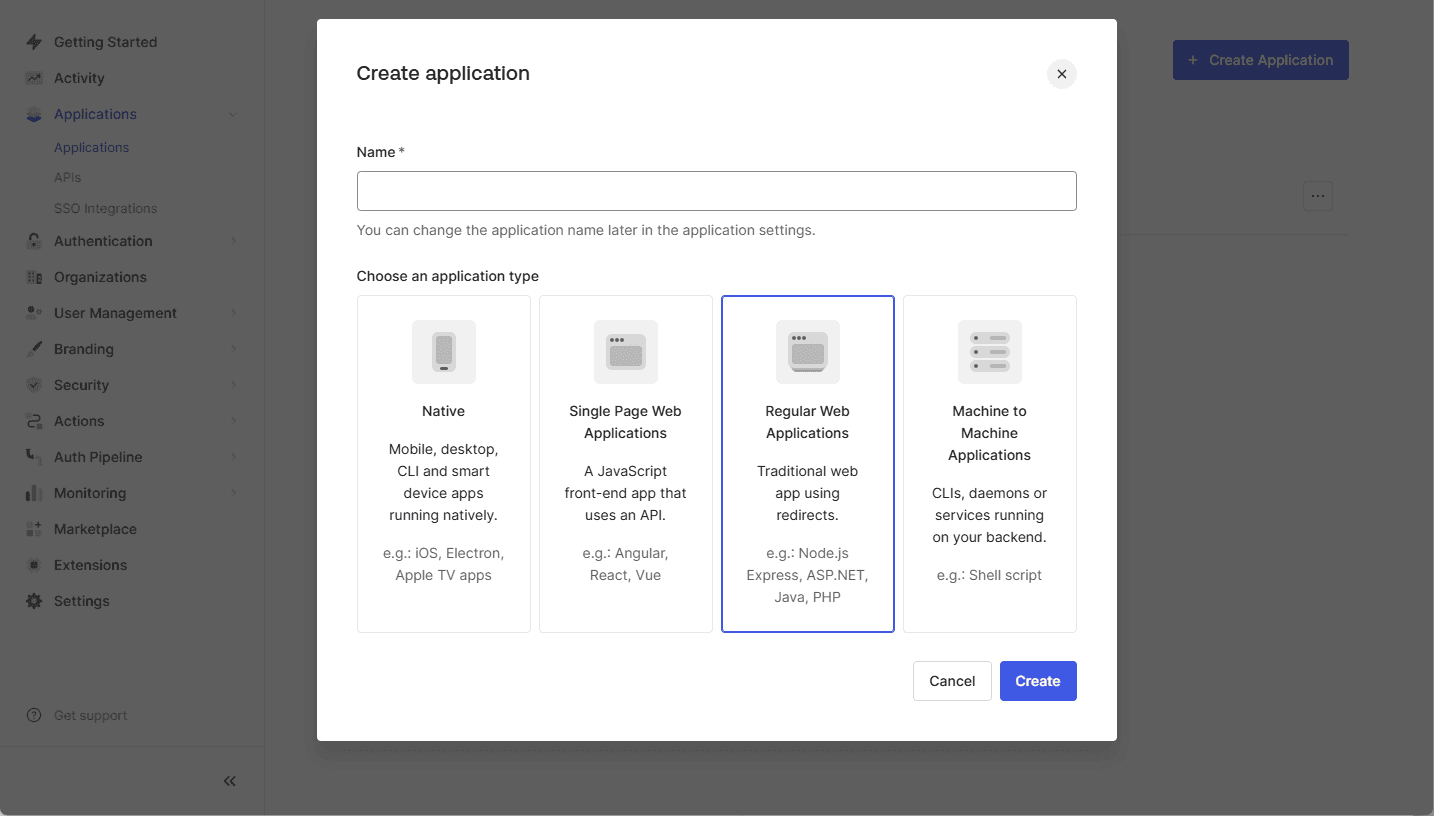
Step 2: Configure the SAML Add-On
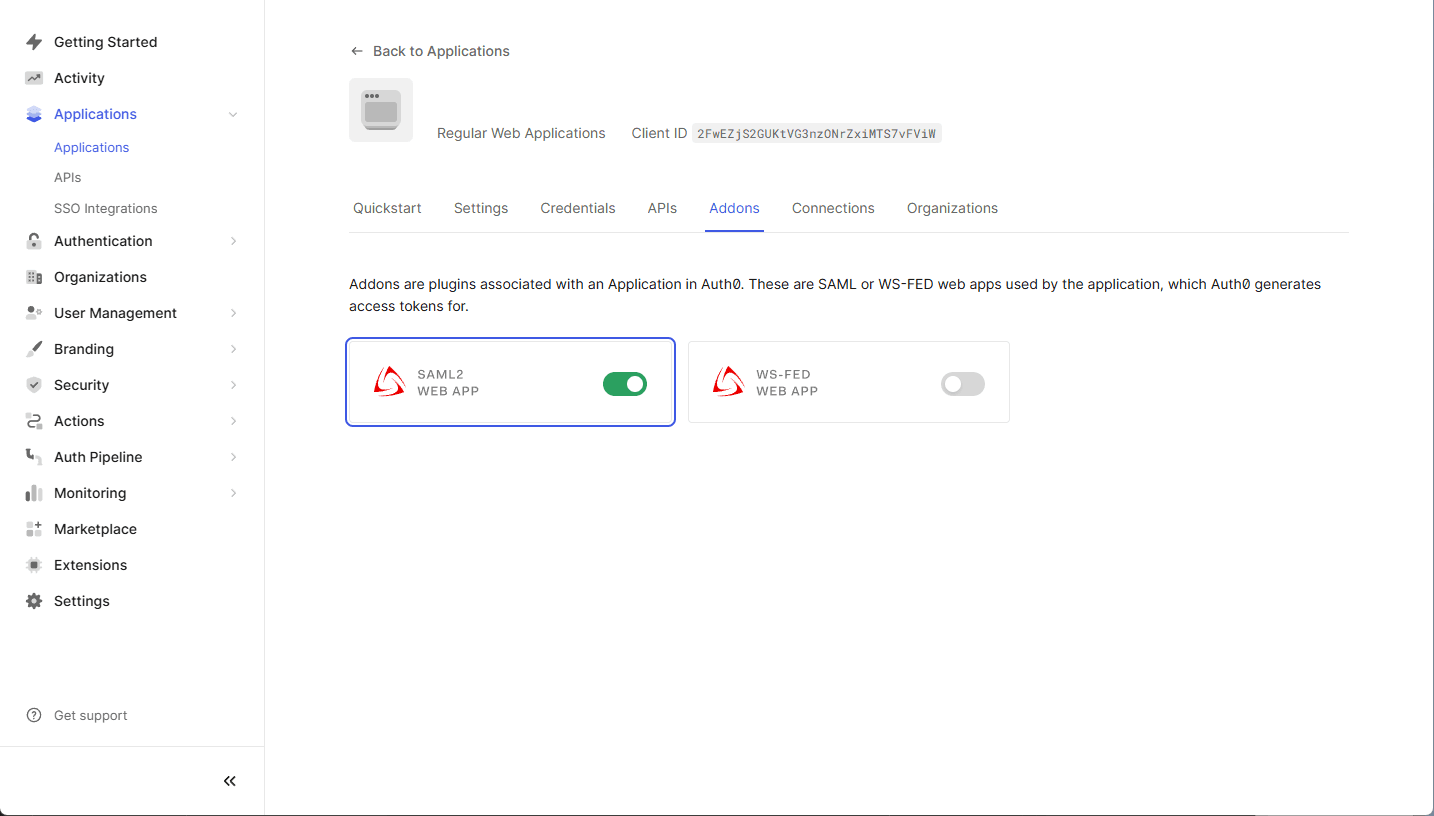
- Open the newly created application in Auth0.
- Go to the
Addonstab. - Click the slider to enable the
SAML2 Web App. - Click
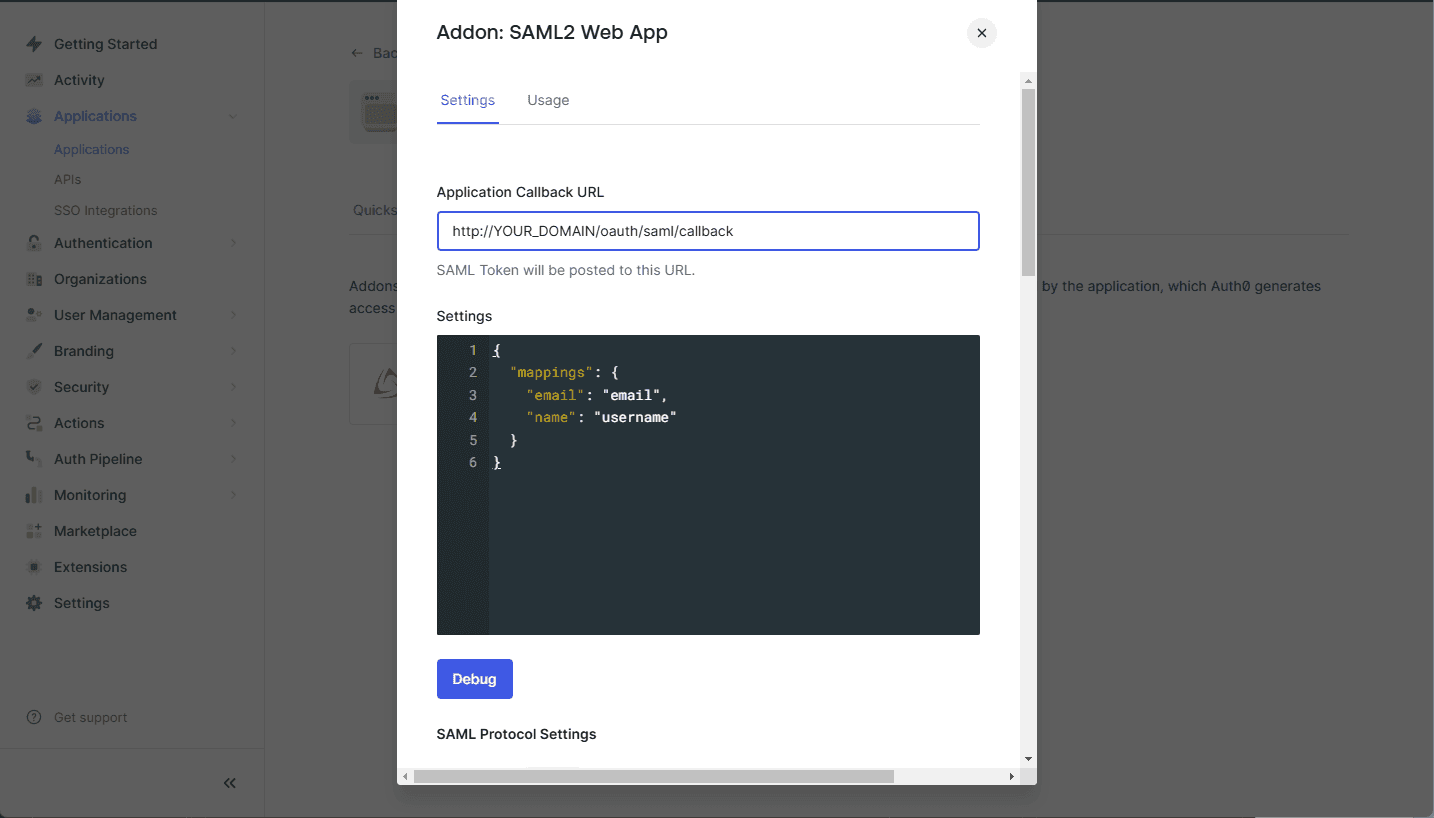
SAML2 Web Apppanel. - Configure the following settings:
- Application Callback URL: Set this to your IntelliAsk SAML callback URL:
https://YOUR_DOMAIN/oauth/saml/callback - Settings (JSON Format): Use the following configuration:
Audience must match SAML_ISSUER
Set
audienceto the same string you will use forSAML_ISSUERin Step 4. Leave it out and Auth0 asserts its own default audience, which will not match what IntelliAsk sends, and the login fails with an audience mismatch.note
If your application requires additional attributes such as
given_name,family_name,usernameorpicture, ensure these mappings are properly configured in the Auth0 SAML settings.
- Application Callback URL: Set this to your IntelliAsk SAML callback URL:
- Click
Save.
Step 3: Obtain the Auth0 SAML Metadata
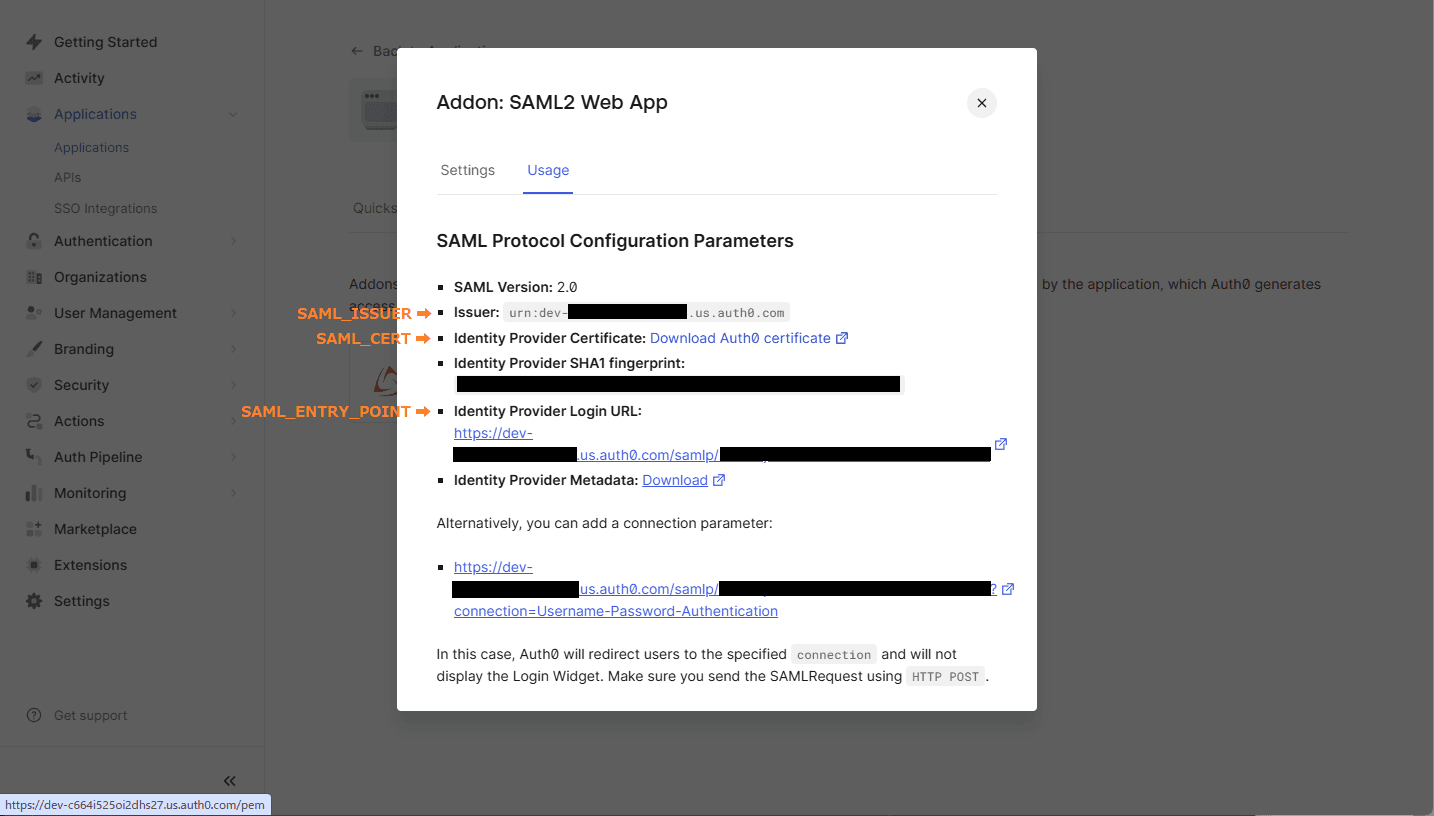
- Once SAML is enabled, go back to the
SAML2 Web Appsettings. - Go to the
Usagetab. - Click on
Identity Provider Certificate: Download Auth0 certificate. - Use the
Identity Provider Login URLforSAML_ENTRY_POINT. - Use the
IssuerforSAML_IDP_ISSUER(optional, see the callout below). - Copy the downloaded cert file to your project folder.
SAML_ISSUER is yours, not Auth0's
SAML_ISSUER is the entity ID IntelliAsk sends about itself in its authentication requests, not a value you copy out of Auth0. You choose it, and it is the same string you enter on the Auth0 side as the Audience. Your IntelliAsk base URL is the conventional choice:
Auth0's own Issuer value goes in the separate SAML_IDP_ISSUER variable, which IntelliAsk uses to check that an assertion really came from your identity provider.
IntelliAsk does not publish a SAML metadata document, so there is no metadata URL to hand to Auth0. Configure Auth0 by hand with the Audience above and the callback URL below.
Step 4: Configure IntelliAsk with SAML
Open the .env file in your project folder and add the following variables:
Last updated on